How to Choose the Right UPS Power Supply?

Time:2026-10-27 Author:Madeline
0%

Choosing the right Ups Power Supply begins with understanding what must remain protected. A home workstation, hospital monitor, and factory controller face very different risks. In practical assessments, I record each device’s wattage, startup surge, voltage tolerance, and operating environment. A desktop may list 300 watts, yet its monitor, router, and storage drives add more demand. Measure, do not guess. I have seen systems fail because users checked capacity but ignored battery age and poor ventilation.

The UPS topology also matters. Standby models suit basic electronics and short outages. Line-interactive units manage frequent voltage fluctuations more effectively. Online double-conversion designs provide cleaner power for sensitive servers, laboratory instruments, and communication equipment. Check both VA and watt ratings. Runtime should match the shutdown plan, not an unrealistic promise of endless operation. A ten-minute battery may protect a router, but it cannot support a loaded server rack for an entire afternoon.

Look for pure sine-wave output when equipment requires stable power. Review transfer time, surge protection, USB or network monitoring, replacement-battery access, warranty terms, and service support. Temperature is important. Batteries degrade quickly inside a hot cabinet. No checklist is perfect. Actual load patterns can change after installation, and published runtime charts may assume ideal conditions. A careful choice combines manufacturer documentation, measured demand, professional advice, and realistic operating goals. Reliable protection is not simply about buying the largest unit; it is about matching the Ups Power Supply to the equipment, site, risk, and response plan.
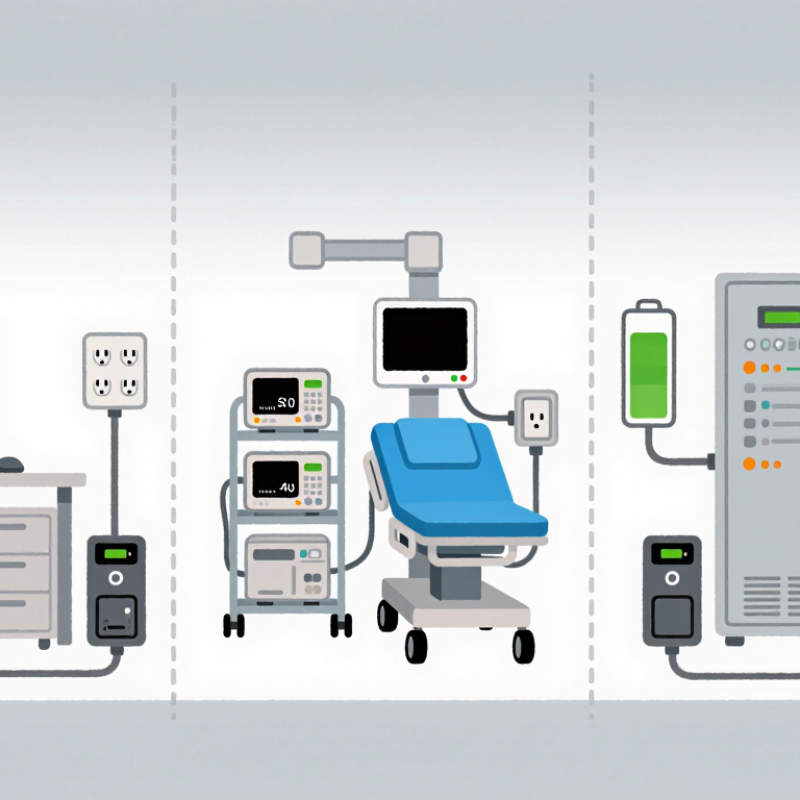
How to Choose the Right UPS Power Supply?

Define Your Power Protection Needs

How to Choose the Right UPS Power Supply?

Define Your Power Protection Needs

Choosing a UPS begins with understanding what must remain powered. List every critical device, including servers, network equipment, storage systems, and monitoring tools. Record each device’s wattage from its label or technical manual. Add the values together, then leave practical headroom for future equipment. A system running at 95% capacity may work today, but it leaves little room for change. That is risky.

Runtime matters as much as capacity. Decide whether the UPS only needs to bridge short outages or support an orderly shutdown. Measure the required time in minutes, not assumptions. A small office may need ten minutes, while a medical monitoring room may require longer support. Consider startup surges from pumps, cooling units, or storage devices. These loads can exceed their normal wattage briefly. Ignore them, and the UPS may overload unexpectedly.

I have seen teams estimate loads from memory, then discover their figures were too low. Use a power meter when possible. It reveals real consumption during busy periods. Also examine voltage stability, battery replacement access, room temperature, and available outlets. Batteries age faster in hot spaces.

My own early estimates were sometimes too optimistic. Recheck the load after installation, especially when equipment changes. Protection needs are not fixed; they develop with the environment and the people relying on it.

Calculate Load Capacity and Backup Runtime

How to Choose the Right UPS Power Supply?

Choosing a UPS starts with measured demand, not guesswork. In field checks, I record every connected device and its running wattage. A server may list 300 watts, while a monitor adds 45 watts. Network equipment, storage units, and chargers also consume power. Add these figures to find the continuous load. Then allow 20–30% headroom for upgrades and short power spikes.

Convert watts into apparent power when needed: VA = watts ÷ power factor. For example, a 480-watt load with a 0.8 power factor requires 600 VA. Check both ratings. The UPS must exceed the calculated watts and VA, not only one value. Startup currents can be higher. Laser printers and motor-driven equipment may need separate consideration.

Runtime depends on battery energy, load, conversion efficiency, and battery condition. A practical estimate is: runtime hours = battery voltage × amp-hours × efficiency ÷ load watts. A 24-volt, 18-Ah battery provides 432 watt-hours before losses. At 85% efficiency and a 300-watt load, the theoretical runtime is about 1.2 hours. Real performance will be shorter.

My early estimates were often too optimistic. Battery age, heat, and frequent discharge reduce capacity. Runtime charts are useful, but they are not guarantees. Test the UPS under a realistic load, record the shutdown time, and leave enough reserve for safe equipment shutdown. Expect surprises.

How to Choose the Right UPS Power Supply? - Calculate Load Capacity and Backup Runtime
Application Typical Connected Equipment Estimated Load
(W)
Recommended UPS Size
(VA / W)
Nominal Battery Energy
(Wh)
Estimated Backup Runtime
(Minutes)
Selection Consideration
Home Office Desktop computer, monitor, router, and small speakers 220 1,000 / 600 216 40 Allows approximately 25% capacity headroom for additional peripherals.
Network Equipment Router, modem, network switch, wireless access point, and firewall 140 750 / 450 216 60 Prioritize longer runtime and enough outlets for networking hardware.
Gaming Workstation Gaming computer, 27-inch monitor, speakers, and accessories 500 1,500 / 900 216 20 Choose a UPS with a continuous watt rating above the computer's peak operating demand.
Small Server One server, storage system, network switch, and console display 900 2,000 / 1,800 432 20 Use a pure sine wave output and USB or network shutdown communication where required.
Workgroup Rack Two servers, storage array, network switch, firewall, and rack accessories 1,200 3,000 / 2,700 864 30 Verify rack space, input current, bypass requirements, and external battery compatibility.
Telecommunications Cabinet PoE switch, wireless controllers, voice gateway, router, and monitoring equipment 700 2,000 / 1,800 864 60 Account for PoE demand, expansion capacity, ventilation, and required autonomy time.
Calculation guide: Recommended UPS watt capacity should exceed the measured or estimated load by at least 20–25%. Nominal battery energy is calculated as battery voltage × amp-hour capacity. Actual runtime varies with load, battery age, temperature, conversion efficiency, and UPS operating mode; the figures above assume approximately 80% usable battery energy and 85% conversion efficiency.

Compare UPS Designs and Operating Modes

How to Choose the Right UPS Power Supply?

Compare UPS Designs and Operating Modes

Choosing a UPS starts with the load, not the cabinet. Standby designs suit basic office equipment and short interruptions. Line-interactive models add automatic voltage regulation for unstable utility power. Double-conversion online UPS systems continuously rebuild the output waveform. They provide stronger isolation for servers, medical equipment, and sensitive control systems.

The operating mode matters just as much. In normal mode, the inverter supports the load. Battery mode starts during a utility failure. Static bypass can keep equipment powered during overloads or internal faults. Maintenance bypass helps technicians work safely, but it removes normal UPS protection. ECO mode may reduce energy use, yet it can increase transfer time and expose equipment to poorer power quality. It looks efficient.

IEC 62040-3 classifies UPS performance through VFD, VI, and VFI categories. This gives engineers a clearer comparison than marketing language.

Uptime Institute’s 2024 Annual Outage Analysis reported that 54% of surveyed outages caused losses above $100,000.

Ponemon Institute’s 2020 study estimated the average data-center outage cost at $740,357.

These figures make bypass settings, battery autonomy, and maintenance planning practical financial decisions. A larger UPS is not automatically safer. Oversizing can reduce efficiency and shorten battery performance at light loads.

During commissioning, teams should test transfer behavior, harmonic distortion, runtime, and bypass recovery. A selection spreadsheet can still miss one detail: the site’s real failure pattern.

Check Battery Life, Features, and Compatibility

Choosing a UPS begins with its battery, not its advertised VA rating. Check the battery type, expected service life, recharge time, and replacement process. Standard sealed lead-acid batteries often last three to five years under controlled conditions. High temperatures shorten that period noticeably. IEEE guidance also links battery aging to temperature, charging conditions, and maintenance quality.

Measure runtime at your real load. A workstation drawing 300 watts behaves differently from a server rack drawing 900 watts. Ask for runtime charts at 50%, 75%, and 100% loads. Keep a margin. Small margins fail quickly. The Uptime Institute’s 2023 Global Data Center Survey reported that over half of serious outages created costs above $100,000. That figure makes battery testing more than a technical exercise. Monthly self-tests, visible alarms, and replacement records can prevent an unpleasant surprise.

Compatibility requires equal attention. Confirm the UPS supports your input voltage, frequency, plug type, and total wattage. Check whether sensitive equipment needs pure sine-wave output. Network cards, USB shutdown control, automatic voltage regulation, bypass operation, and hot-swappable batteries may matter more than extra capacity. A UPS should also coordinate with your generator, operating system, and monitoring software. The Ponemon Institute estimated the average data-center outage cost at $740,357 in its 2016 study, although modern costs vary widely. Do not treat that number as universal. Test transfer time with actual equipment, because a specification sheet cannot reveal every compatibility problem.

Choose the Right Size, Installation, and Maintenance Plan

Choosing the right UPS power supply starts with measured demand, not guesswork. Record the actual load, power factor, startup surge, and desired runtime. A UPS rated only by apparent power may fail when equipment draws high inrush current. Leave 20–30% capacity for growth and battery aging.

Uptime Institute’s 2024 Annual Outage Analysis identifies power problems as the most common reported outage cause, involving roughly half of recorded incidents. Correct installation matters. Use dedicated circuits, suitable ventilation, grounding, and clear access for inspections. Battery temperature is important; excessive heat can shorten service life significantly. Follow IEC 62040 requirements and local electrical codes. Maintenance should include alarm testing, battery impedance checks, thermal inspections, and controlled load tests. Battery replacement often occurs after three to five years, but operating conditions can change that schedule. Bigger is not always better.

Tips: Build a simple load profile before purchase. Test the UPS under realistic conditions. Keep maintenance records. Review them quarterly. Do not place the unit beside heaters or dusty machinery. A common mistake is planning runtime without considering future expansion. Another is trusting software alarms without physical inspection. That approach seems efficient, but it can miss loose connections, swelling batteries, or blocked airflow. Uptime Institute reports that many outages still involve preventable human or procedural weaknesses. A written maintenance plan is therefore as important as the UPS itself.

FAQS

What devices should be included when sizing a UPS?

List servers, network equipment, storage units, monitors, chargers, and monitoring tools. Include every device needing continuous power.

How do I calculate the required UPS capacity?

Add each device’s running wattage. Then add 20–30% headroom for upgrades and short power spikes. More room helps.

Why do I need to check both watts and VA?

UPS capacity uses watts and VA. Calculate VA by dividing watts by the power factor. The UPS should exceed both results.

Can equipment startup loads cause problems?

Yes. Pumps, cooling units, motors, and some printers may briefly draw more power. Ignoring this can cause unexpected overloads.

How much backup runtime is necessary?

Decide whether you need short outage coverage or an orderly shutdown. Measure the requirement in minutes, not guesses.

How can I estimate battery runtime?

Use this formula: runtime hours = battery voltage × amp-hours × efficiency ÷ load watts. Actual runtime will usually be shorter.

Why might the real runtime differ from the calculation?

Battery age, heat, discharge history, conversion losses, and changing loads reduce runtime. Charts are helpful, not promises.

How can I verify the UPS after installation?

Test it with a realistic load. Record the shutdown time and recheck device wattage. My early estimates were too optimistic.

What environmental details affect UPS performance?

Check room temperature, voltage stability, outlet availability, and battery access. Hot rooms can age batteries faster. This detail is easy to miss.

Conclusion

Choosing the right Ups Power Supply begins with understanding the equipment you need to protect and the risks it faces, such as power outages, voltage fluctuations, or electrical noise. Identify the required protection level, then calculate the total load of all connected devices and estimate how long they must remain operational during an outage. This helps determine the appropriate capacity and battery runtime.

Next, compare UPS designs and operating modes to find the balance between protection, efficiency, and cost. Review battery lifespan, recharge time, monitoring functions, connection options, and compatibility with your equipment. The physical size, installation environment, ventilation, and future expansion needs should also be considered. Finally, select a model that fits your available space and establish a maintenance plan, including battery inspections, performance testing, and timely replacement. A careful evaluation of these factors will help ensure dependable power continuity, protect valuable equipment, and provide a practical long-term solution.


Madeline

Madeline

Madeline is a dedicated marketing professional with a wealth of expertise in our company's core offerings. With a keen understanding of the industry, she brings a unique perspective to her role, consistently delivering high-quality content that highlights the superior aspects of our products. As......