How to Choose the Best UPS Battery Backup?

Time:2026-10-19 Author:Henry
0%

Choosing the right Ups Battery Backup begins with a clear picture of what must stay powered. A home router needs different protection than a medical workstation, server rack, or production line. Wattage matters, but it is only one part of the decision. Battery runtime, transfer time, waveform quality, outlet count, and maintenance requirements also deserve attention.

Patrick Donovan, a recognized data center and power infrastructure analyst, has emphasized a practical principle: “UPS capacity must match the real load, not an optimistic estimate.” That advice is easy to overlook. A device rated at 1,500 VA may not safely support every connected appliance. Check actual power draw with a meter, then allow reasonable headroom for startup surges and future equipment.

Think about the room, too. Heat shortens battery life. Dust can restrict airflow. Frequent outages may require longer runtime or an external battery module. Lithium-ion systems can offer longer service life and smaller footprints, while sealed lead-acid batteries remain widely available and familiar to technicians.

Do not choose by price alone.

A cheaper unit may provide limited warranty coverage, weak monitoring, or costly replacement batteries. Look for automatic voltage regulation, overload protection, clear alarms, and trustworthy certification. Network management can also reveal battery health before an unexpected failure.

The imperfect part is prediction. Loads change, batteries age, and real outages rarely follow test conditions. Review your assumptions annually. The best Ups Battery Backup is not simply the largest model. It is the one that matches your equipment, environment, risk tolerance, and maintenance capability.
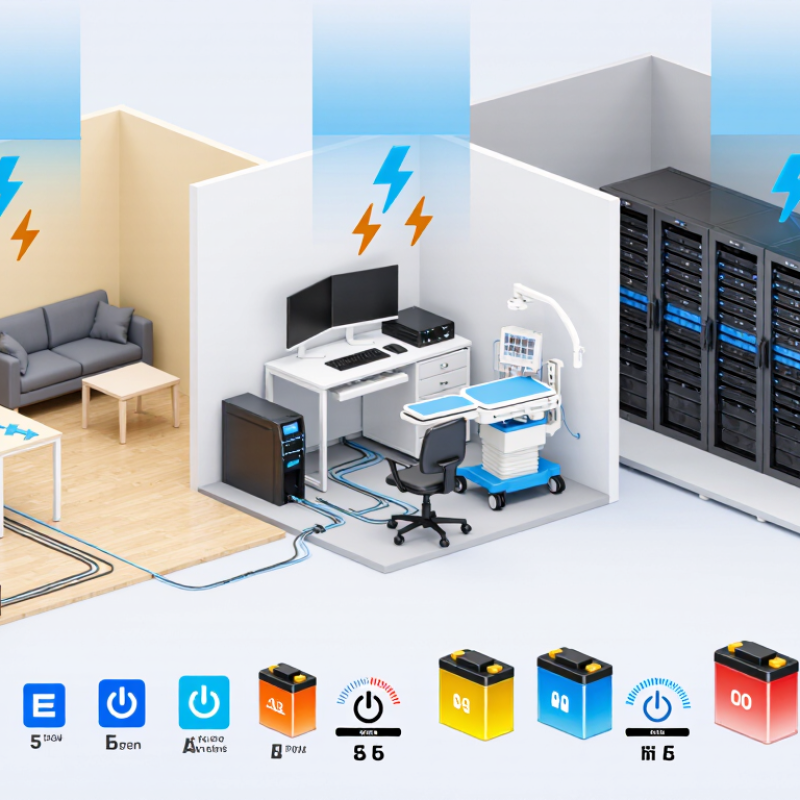
How to Choose the Best UPS Battery Backup?

Understanding UPS Battery Backup Basics and Power Protection Needs

How to Choose the Best UPS Battery Backup?

Understanding your power protection needs is more important than choosing the largest UPS. A UPS supports equipment during outages, voltage dips, and unstable power. Start by listing every connected device, including monitors, network equipment, storage units, and control systems. Add their wattage, then allow extra capacity for startup demand and future expansion. VA and watts are different ratings, so check both. A unit with insufficient watt capacity may shut down unexpectedly.

Runtime depends on battery size and connected load. Decide whether you need five minutes for safe shutdown or longer operation during brief outages. Battery age matters. Most sealed batteries gradually lose capacity, even when rarely used. Keep the UPS in a cool, dry, ventilated location. Heat shortens battery life. In routine maintenance, testing actual runtime often reveals weaknesses that specifications hide. No calculation is perfect.

Tips: Measure twice. Use a power meter to confirm real consumption instead of trusting labels alone. Choose protection features that match your environment, such as automatic voltage regulation for frequent fluctuations. Check alarm settings, outlet types, replacement battery access, and data connectivity. Test the system every few months by simulating a controlled outage. Record the date and runtime. If sensitive equipment still resets, investigate grounding, overloaded circuits, or incompatible power supplies. A larger battery is not always better; it can increase cost, weight, and charging time without solving the real problem.

Assessing Your Equipment’s Power Requirements and Runtime Expectations

How to Choose the Best UPS Battery Backup?

When choosing a UPS battery backup, begin with the equipment it must protect. List every load, including computers, monitors, networking devices, storage systems, and external drives. Record each device’s normal wattage and starting surge. Do not rely only on the adapter’s maximum rating. Add the wattages, then allow roughly 20 to 30 percent headroom. This prevents the UPS from running near its limit. Check both watt and VA ratings. The lower practical limit matters.

Runtime expectations require more than reading a product label. A system drawing 300 watts may need only five minutes for a controlled shutdown. Another setup may require 30 minutes to keep essential services active. Separate critical devices from convenient ones. During an on-site assessment, I often find that large displays and unused accessories consume valuable battery capacity. Remove them from the backup circuit when possible. Shorter is safer.

Use the manufacturer’s runtime chart as a starting point, not a promise. Battery age, room temperature, load changes, and charging history can reduce actual runtime. I once measured a runtime that fell well below the original estimate. The calculation looked correct, but the battery had degraded quietly. Test the UPS under a realistic load before depending on it. Repeat that test periodically. A simple shutdown plan, tested cables, and clear load priorities often matter more than buying the largest unit.

How to Choose the Best UPS Battery Backup?

Assess your equipment’s power requirements and expected runtime before selecting a UPS. The chart compares typical operating loads with estimated battery runtime using a 1,000 VA UPS with approximately 192 Wh of nominal battery capacity.

How to interpret the chart: Add the wattage of all connected devices, then choose a UPS with sufficient watt capacity and enough battery runtime for your shutdown or backup objectives. Runtime estimates assume approximately 60% usable battery energy after conversion losses; actual results vary with battery age, load profile, temperature, and UPS efficiency.

Comparing UPS Types, Battery Capacity, and Output Performance

Choosing the best UPS battery backup starts with understanding the equipment it must protect. Standby UPS units suit basic devices and short outages. Line-interactive models handle moderate voltage changes more effectively. Online double-conversion systems provide the cleanest power for sensitive servers, medical instruments, and network equipment. They also cost more and may consume more energy.

Capacity involves more than the VA number on a specification sheet. Check the connected load in watts, then allow practical headroom for startup surges and future devices. A UPS rated near its maximum output may shut down early or shorten battery life. Runtime depends on battery capacity, load size, temperature, and battery age. I once selected a unit by VA alone, and its runtime disappointed me during a real outage.

Output performance deserves equal attention. Pure sine wave output supports equipment with active power supplies, motors, or strict power requirements. Transfer time matters for devices that cannot tolerate even a brief interruption. Online systems avoid this transition, while other types switch after detecting a failure. Review efficiency figures, overload protection, alarm behavior, and replacement battery access. Test the UPS with the actual load, not an empty desk setup. Short tests help, but they do not reveal every weakness. A monthly inspection can expose loose connections, unusual heat, or declining runtime. Expect batteries to age, even when outages are rare.

Checking Compatibility, Safety Features, and Maintenance Requirements

How to Choose the Best UPS Battery Backup?

Checking Compatibility, Safety Features, and Maintenance Requirements

A UPS should match your equipment’s voltage, wattage, plug type, and operating environment. Check both the running load and the starting surge. A small desktop may need less power than a printer or network switch. Add the wattage of every connected device. Then leave reasonable capacity for future changes. Do not rely on appearance alone.

Look for overload protection, short-circuit protection, surge filtering, and thermal monitoring. Audible alarms should clearly warn about low battery, overload, or internal faults. A pure sine-wave output may suit equipment with sensitive power supplies. Confirm the UPS supports your local voltage and frequency. Grounding matters. If the socket is questionable, ask a qualified electrician to inspect it. Safety is not a decorative feature.

Maintenance affects reliability over time. Keep ventilation openings free from dust and avoid placing the unit beside heaters. Test the backup function occasionally, but do not disconnect critical equipment carelessly. Record the purchase date and expected battery life. Many batteries need replacement after several years, depending on heat and usage. Check the manual for safe replacement procedures. I would not assume a silent UPS is healthy. Some failures provide little warning. A simple inspection can expose swelling, leakage, damaged cables, or unusual heat. Replace damaged units promptly through an approved recycling channel.

Selecting the Right UPS Battery Backup for Your Budget and Setup

Choosing a UPS battery backup starts with the setup, not the advertised price. Check your equipment’s wattage, plug type, and required runtime. A small office router may need 15 minutes, while a workstation may need enough time to save files and shut down safely. Do not size by VA alone. Compare the UPS’s continuous watt rating with your actual load, then leave roughly 20–30% headroom for upgrades and battery aging.

Budget matters, but downtime can cost more. The Ponemon Institute’s 2024 Cost of Data Center Outages report estimated the average outage cost at about $1.5 million, although home users face much smaller losses. For a modest setup, a line-interactive unit with replaceable batteries may offer sensible value. Sensitive equipment or unstable power may justify online double-conversion technology, but its higher cost and energy use need careful consideration. The Uptime Institute’s 2024 Global Data Center Survey reported that more than half of respondents experienced an outage within three years. Reliability is not theoretical.

I have seen buyers select a large UPS without checking socket capacity or battery replacement prices. That mistake is easy to repeat. Test the real load with a power meter, not a guess. Remember that runtime charts usually reflect new batteries and ideal conditions. At home, dust, heat, and aging can reduce performance noticeably. My own sizing would be conservative, though perhaps overly so. A quieter, smaller unit with documented runtime may serve better than an oversized model that sits underused.

How to Choose the Best UPS Battery Backup? - Selecting the Right UPS Battery Backup for Your Budget and Setup

Selection Factor What to Check Typical Options or Values Recommended Choice
Intended Equipment Identify the devices that must remain powered during an outage. Modem and router; computer and monitor; network storage; small office equipment; home medical equipment. Connect only essential equipment to the battery-backed outlets to preserve runtime.
Required Capacity Add the wattage of all connected devices and allow headroom. Choose a UPS with a watt rating above the measured or estimated load. A practical margin is about 20–30%. Use a power meter when possible; do not select a UPS based on VA alone.
VA and Watt Rating Check both apparent power capacity, measured in VA, and real power capacity, measured in watts. Common desktop units range from approximately 600–1500 VA, while larger systems may provide 2000 VA or more. Make sure the connected watt load stays below the UPS watt rating and the VA load stays below the VA rating.
UPS Topology Compare the level of voltage regulation and power conditioning required. Standby; line-interactive with automatic voltage regulation; online double-conversion. Standby suits basic electronics; line-interactive suits most computers and networking equipment; online is suited to sensitive or mission-critical loads.
Power Outage Type Consider whether outages are brief, frequent, or extended. Momentary interruptions; voltage sags and surges; multi-hour outages. For long outages, prioritize safe automatic shutdown, expandable battery support, or a separate long-runtime solution.
Target Runtime Estimate how long equipment must operate or remain available for shutdown. Many small UPS systems provide several minutes at a high load; runtime is longer when the load is reduced. Select a model using its runtime chart at your actual watt load rather than relying on the maximum runtime figure.
Output Waveform Check the power-supply requirements of computers, servers, and other sensitive electronics. Stepped or simulated sine wave; pure sine wave. Pure sine wave is the safer choice for equipment with active power-factor correction, motors, or strict power-quality requirements.
Automatic Voltage Regulation Determine whether the local power supply commonly experiences low or high voltage. Usually available in line-interactive and online designs; not typically included in basic standby models. Choose automatic voltage regulation when voltage fluctuations are common and you want to reduce unnecessary battery use.
Battery Type Review maintenance needs, replacement access, and operating conditions. Valve-regulated lead-acid batteries are common; lithium-based systems can offer lower weight and longer service life at a higher initial cost. Choose a replaceable battery design and follow the manufacturer’s storage, temperature, and replacement guidance.
Budget Level Balance purchase price, runtime, power quality, and battery replacement cost. Entry-level: basic protection; mid-range: voltage regulation and better monitoring; higher-end: pure sine wave, longer runtime, and expansion options. Spend more on topology, waveform, and runtime when downtime or equipment damage would be costly.
Connection and Monitoring Check outlet types, data connections, software support, and alarm controls. USB communication; network management options; audible alarms; surge-only and battery-backed outlets. Choose a model that supports automatic shutdown and provides enough outlets for essential equipment.
Physical Installation Measure available space and verify weight, ventilation, cable reach, and mounting requirements. Desktop, tower, rack-mount, and compact wall-adjacent formats. Leave ventilation clearance and keep the UPS in a dry, temperature-controlled location.
Best Fit by Setup Match the UPS to the importance and electrical sensitivity of the equipment. Internet equipment; home office; gaming computer; small server or network storage; critical workstation. Prioritize low cost for basic connectivity, balanced capacity for office use, and pure sine wave with monitoring for critical systems.

Note: Actual runtime depends on battery capacity, connected load, battery age, temperature, and UPS efficiency. Always confirm capacity and runtime using the product’s technical specifications.

FAQS

Which UPS type suits basic desktop equipment?

A standby UPS fits basic desktops and short outages. It switches to battery after detecting power failure. It usually costs less.

When is an online UPS a better choice?

An online UPS suits sensitive servers, medical instruments, and network equipment. It provides continuous, clean power without transfer delays. Energy use may be higher.

How should I calculate the required UPS capacity?

Add the running wattage of every connected device. Leave room for startup surges and future equipment. Do not choose by VA alone.

Why can a high-capacity UPS have disappointing runtime?

Runtime depends on load, battery size, temperature, and battery age. A heavily loaded unit drains quickly. My earlier VA-only choice performed poorly during an outage.

Does pure sine-wave output matter?

It can matter for motors and equipment with sensitive power supplies. Check the equipment requirements before choosing. It is not always necessary.

What compatibility details should I check?

Confirm voltage, frequency, wattage, plug type, and operating conditions. Include printers, switches, and other connected devices. Small equipment can still create startup surges.

Which safety features are important?

Look for overload protection, short-circuit protection, surge filtering, and thermal monitoring. Clear alarms should identify low battery, overload, and internal faults. Safety is not decoration.

How should I maintain a UPS battery backup?

Keep ventilation openings free of dust. Avoid heaters and cramped spaces. Inspect cables, connections, swelling, leakage, and unusual heat every month.

When should the battery or UPS be replaced?

Battery life often declines after several years, depending on heat and usage. Record the purchase date. Replace damaged units through an approved recycling channel.

Is testing an empty desk setup enough?

No. Test the UPS with its actual connected load. Short tests reveal some problems, but not every weakness. Real conditions matter.

Conclusion

Choosing the right Ups Battery Backup begins with understanding how it protects electronic equipment during power interruptions, voltage fluctuations, and unexpected outages. Start by identifying the devices you need to support, calculating their total wattage, and deciding how much runtime is necessary to save work or maintain essential operations. Consider whether a standby, line-interactive, or online design best suits your environment, then compare battery capacity, load support, recharge time, and output performance.

Compatibility and safety are equally important. Check available outlets, connection types, voltage requirements, software support, overload protection, surge protection, and automatic voltage regulation. A practical UPS should also be easy to monitor, maintain, and replace when its battery reaches the end of its service life. Finally, balance performance against your budget and installation space. By matching capacity, features, reliability, and maintenance needs to your equipment, you can select an Ups Battery Backup that provides dependable protection without paying for capabilities your setup does not require.


Henry

Henry

Henry is a dedicated marketing professional with a profound expertise in the company's offerings. With years of experience in the industry, he possesses an impressive understanding of the market dynamics and consumer behaviors that drive success. Henry is committed to sharing his insights through......